How to Download TikTok Videos on Android Without Watermark
You’ve found the perfect TikTok — a recipe, a funny clip, something you want to keep — and you hit download. TikTok saves it, but then you open it and there’s that watermark bouncing around with the username stamped over the video. If you want to share it on WhatsApp Status or Instagram, it looks borrowed.
Good news: on Android, getting a clean copy is even easier than on iPhone. No Files-app detour, no extra steps. Chrome and a free online downloader are all you need.
Why TikTok Adds a Watermark
When you tap “Save video” in the TikTok app, TikTok stamps the video with its logo and the creator’s username. It’s their way of crediting creators when videos spread to other platforms. Fair enough — but not helpful when it’s your own video or the watermark covers subtitles. A downloader grabs the original file before the watermark gets stamped on.
Quick ethics note: downloading for personal use or saving your own content is fine. Don’t strip watermarks to re-upload someone else’s video as your own.
What You’ll Need
- Any Android phone (Samsung, Xiaomi, Pixel, OnePlus — all work)
- Chrome browser (pre-installed on most Android phones)
- About 30 seconds
No app installs. No sign-ups.
The Method: Download via Chrome
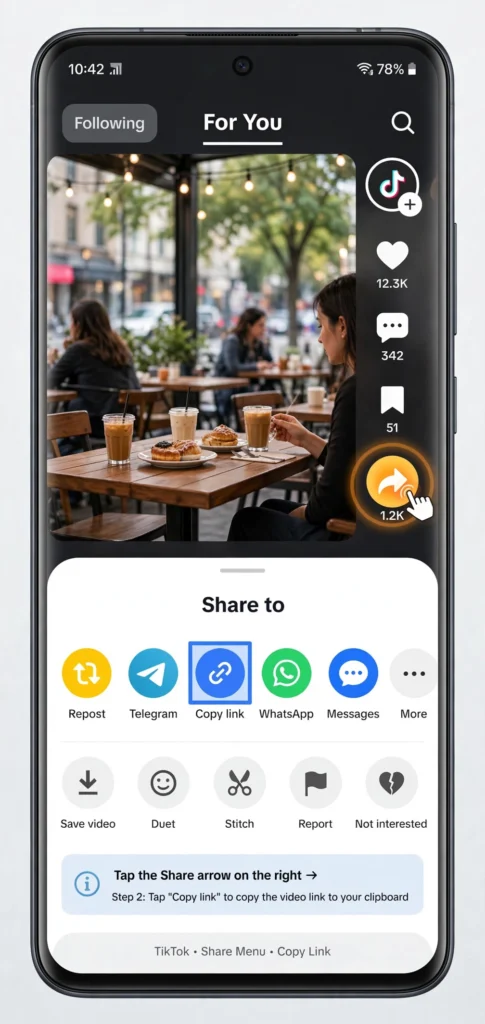
Step 1: Copy the video link from TikTok
Open TikTok, find the video, tap the Share arrow on the right. Tap Copy Link. You’ll see “Link copied.”
2026 update: TikTok now generates short links starting with tt.site/t/… instead of vm.tiktok.com. Older downloader tools may reject these with an “invalid URL” error. If that happens, the tt.site format is usually why.
Step 2: Open the downloader in Chrome
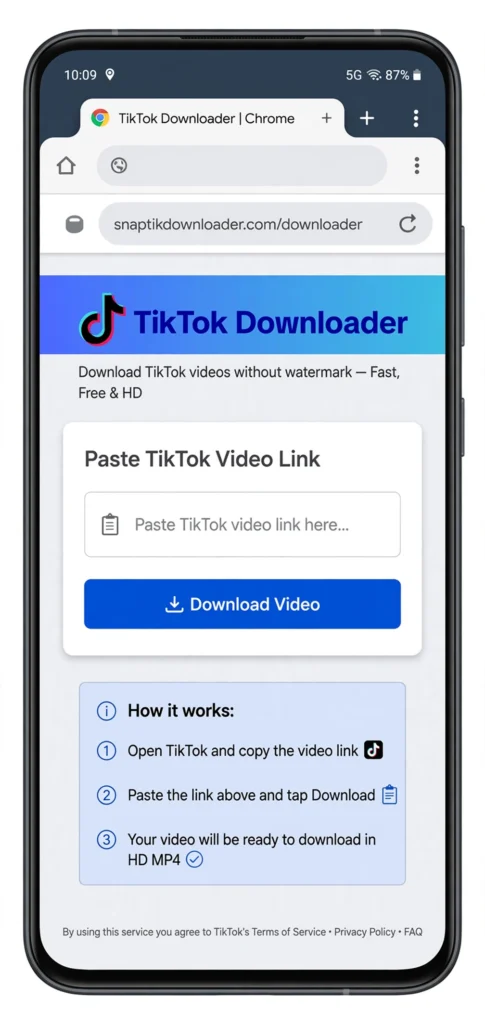
Open Chrome and go to ssstiksave.xyz. The download box is right at the top.
Step 3: Paste and download
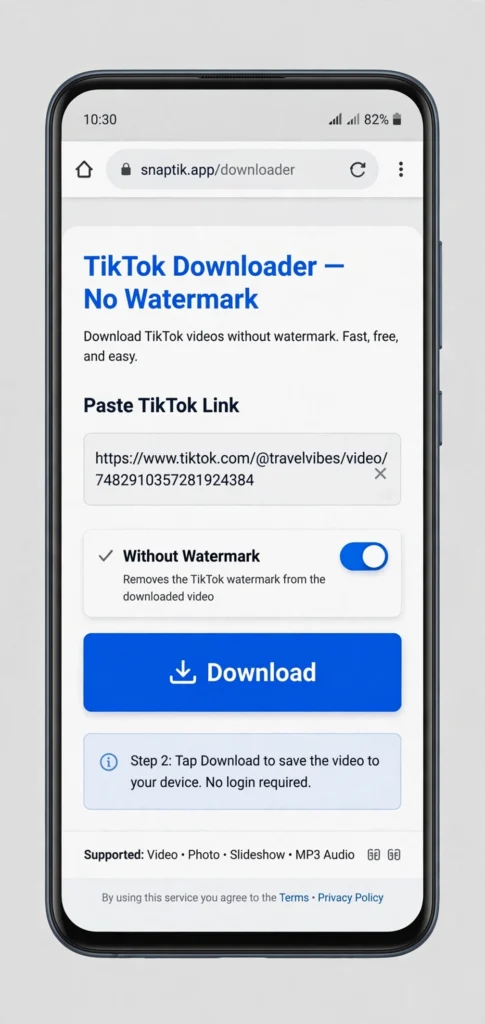
Tap the input box → Paste. Your link fills in. Tap Download. After a few seconds you’ll see options — tap Download next to Without Watermark (MP4).
Step 4: Find it in your gallery
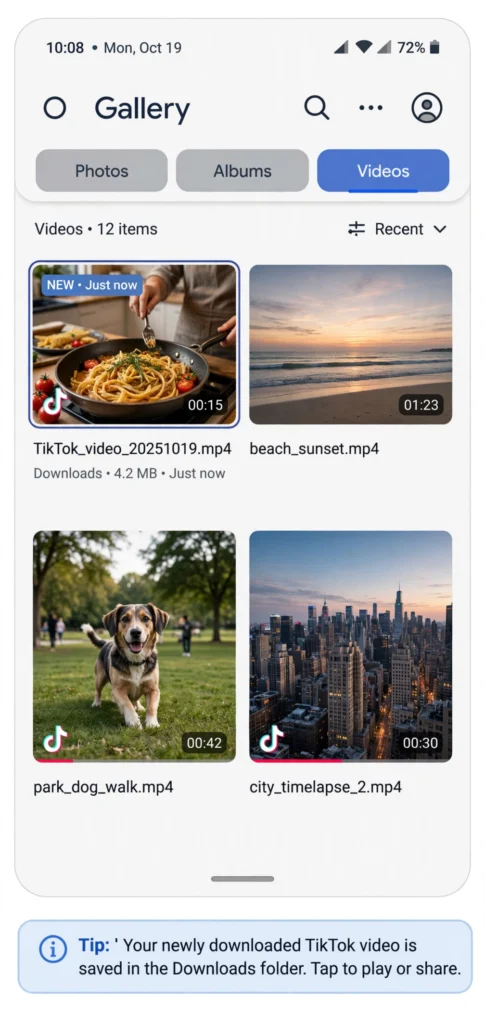
Here’s where Android is simpler than iPhone: Chrome saves the file directly to your Downloads folder, and it appears in your gallery app automatically. Open Gallery or Google Photos — the video is there, clean, no watermark.
If Chrome asks where to save, choose Downloads. You’ll usually get a notification when the download finishes — tap it to play immediately.
Total time: under 30 seconds.
Android-Specific Tips
Default download location. Chrome → menu → Settings → Downloads. Make sure “Ask where to save files” is off if you want one-tap downloads, or on if you like choosing a folder each time.
Video plays instead of downloading? Long-press the download button and choose Download link. Some Android skins (MIUI, One UI) handle this differently — if the video opens in a player, use the player’s menu → Download.
SD card vs internal storage. If your phone has an SD card, Chrome may default to internal storage. Downloads → change location if you want videos on the SD card.
Troubleshooting
“Invalid link” error. Re-copy from the Share menu (not the browser address bar). Check for the tt.site format issue.
Private video / private account. No downloader can fetch these. No workaround exists.
No sound in downloaded video. Try the MP3 option to verify audio exists, then re-download the MP4. If it persists, try a different downloader.
Download won’t start on mobile data. Some carriers throttle large downloads. Switch to Wi-Fi and retry.
Is It Safe? Legal?
Same as anywhere: personal use is fine, tools don’t need your TikTok login, and a legitimate downloader only asks for the video link. Avoid any tool asking for your TikTok credentials.
FAQs
Do I need an app?
No. Chrome + the website is all you need. Play Store “downloader” apps are usually just wrappers with more ads.
Where do downloaded videos go?
Downloads folder → visible in Gallery/Google Photos automatically.
Can I download in HD?
Pick the HD / without-watermark MP4 option. If the original was low quality, no tool can improve it.
Does this work for TikTok Stories?
Public story links sometimes work; stories are temporary so try quickly.
Is ssstiksave free?
Yes — paste a link, download. No account, no limits.
Try it: paste any TikTok link at ssstiksave.xyz and grab the clean MP4 in under a minute.